
Introduction
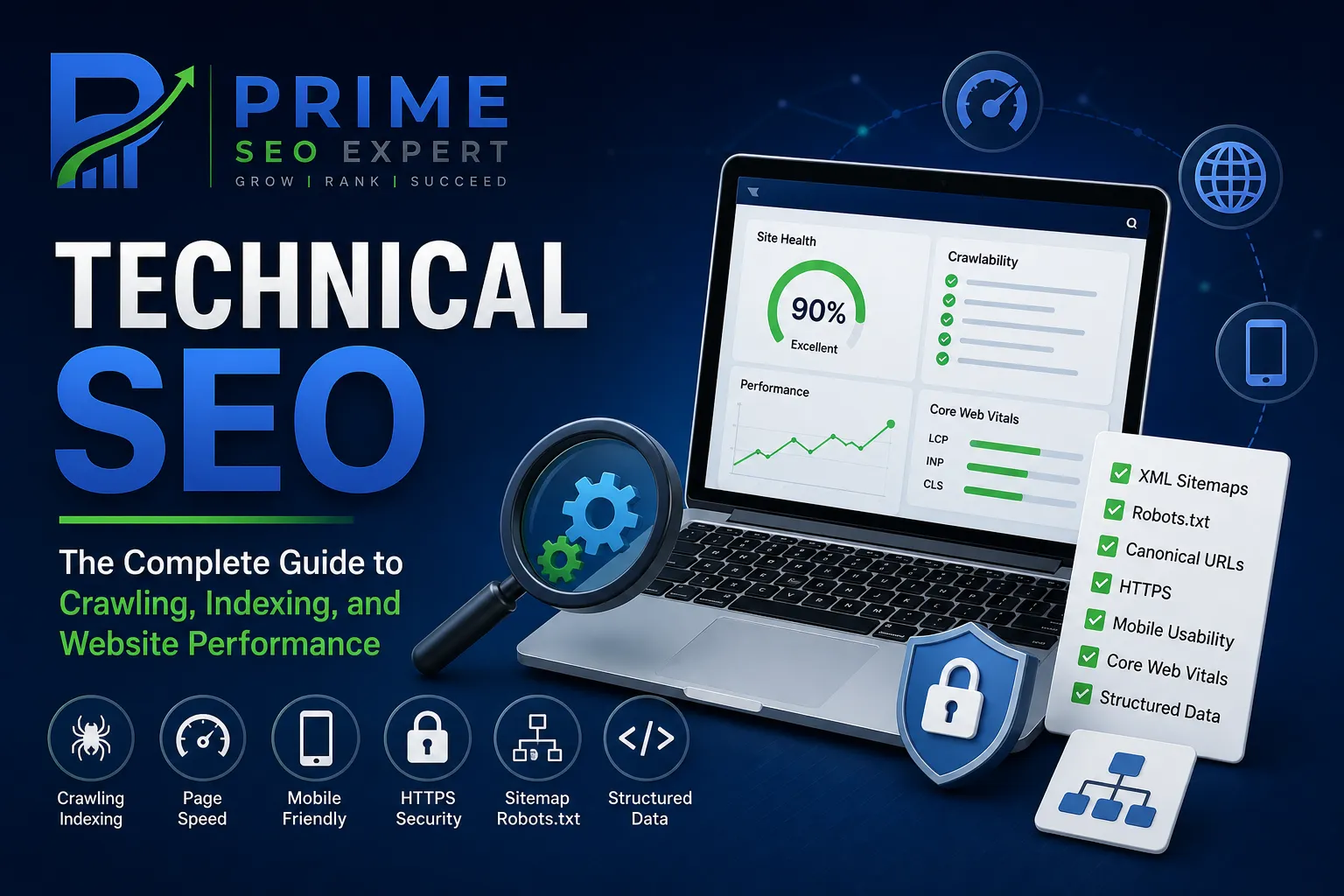
Technical SEO is the foundation that helps search engines discover, crawl, understand, and index your website.
You can publish excellent content and target valuable keywords, but technical problems can still prevent important pages from performing well in search.
A page might be blocked from crawling, accidentally marked noindex, duplicated across multiple URLs, buried deep within the website structure, or affected by a poor mobile experience.
Technical SEO helps identify and resolve these issues.
This guide explains the most important technical SEO elements, how they work together, common problems to watch for, and a practical checklist you can use to evaluate your own website.
This guide is part of our Complete SEO Guide, our broader resource for understanding how the major areas of SEO work together.
What Is Technical SEO?

Technical SEO is the process of improving the technical aspects of a website so that search engines can efficiently crawl, understand, index, and access its content.
It can include:
- Crawling and indexing
- XML sitemaps
- Robots.txt
- Canonical URLs
- HTTPS
- Mobile usability
- Website architecture
- Page speed
- Core Web Vitals
- Redirects
- Broken links
- Structured data
- JavaScript rendering
- Duplicate content
- URL structure
Technical SEO is not simply about making a website “fast.”
It covers the technical foundation that allows your content to be discovered and processed effectively.
Why Is Technical SEO Important?
Search engines use automated systems to discover and process webpages.
If your website has technical problems, those systems may struggle to access or interpret important content.
For example, imagine publishing a detailed article that targets an important keyword.
If the page accidentally contains a noindex directive, search engines may not include it in their index.
Similarly, if important pages are buried several clicks deep with no internal links pointing toward them, discovering those pages may become more difficult.
Technical SEO helps reduce these problems.
It can help you:
- Improve crawlability.
- Support efficient indexing.
- Make website structure clearer.
- Improve page experience.
- Reduce technical errors.
- Help search engines understand relationships between URLs.
- Make important content easier to discover.
- Create a stronger foundation for On-Page SEO.
Technical SEO doesn’t replace useful content.
Instead, it helps ensure that your useful content can be properly accessed and understood.
Technical SEO vs On-Page SEO vs Off-Page SEO
SEO can be divided into several closely connected areas.
| SEO Area | Primary Focus | Examples |
|---|---|---|
| Technical SEO | Website infrastructure | Crawling, indexing, speed, architecture |
| On-Page SEO | Individual webpages | Content, headings, titles, internal links |
| Off-Page SEO | External signals | Backlinks, mentions, digital PR |
These areas shouldn’t be treated as completely separate systems.
For example, your keyword research may identify a valuable topic.
Your On-Page SEO then helps you create and optimize the page.
Technical SEO helps ensure that search engines can access and process that page.
Off-Page SEO can then contribute external authority and relevance signals.
You can learn more about page-level optimization in our On-Page SEO Guide.
How Search Engines Crawl and Index Websites
Understanding crawling and indexing is essential for Technical SEO.
Crawling
Crawling is the process through which search engine systems discover and access URLs.
Google may discover a URL through:
- Internal links
- External links
- XML sitemaps
- Previously known URLs
- Other discovery mechanisms
A crawler then requests the page and processes the available information.
Indexing
Indexing is the process of analyzing and storing information about webpages so that they can potentially appear in search results.
Not every URL that a search engine discovers will necessarily be indexed.
A page may be excluded for several reasons, including technical directives, duplication, quality considerations, or other indexing decisions.
Why Crawling and Indexing Matter
A page generally needs to be accessible and eligible for indexing before it can appear in organic search results.
That’s why one of the first questions in a technical SEO audit should be:
Can search engines access and index the pages that matter most?
XML Sitemaps
An XML sitemap is a file that provides search engines with information about important URLs on your website.
A typical WordPress website may automatically generate an XML sitemap through its SEO plugin or other functionality.
A sitemap can be particularly useful for:
- Large websites
- New websites
- Websites with many pages
- Sites with complex structures
- Recently migrated websites
A sitemap should contain URLs that you actually want search engines to consider.
Avoid treating the sitemap as a dumping ground for every URL on your website.
What Should Be Included in an XML Sitemap?
Generally, include important, canonical, indexable URLs.
Avoid unnecessarily including:
- Redirected URLs
- Broken URLs
- URLs marked noindex
- Duplicate URLs
- Irrelevant parameter variations
A clean sitemap makes it easier for search engines to understand which URLs are important.
Robots.txt
The robots.txt file provides instructions to crawlers about which areas of a website they may or may not request.
It is commonly located at:
/robots.txt
For example:
https://example.com/robots.txt
Robots.txt can be useful for controlling crawler access to areas that don’t need to be crawled.
However, it is important to understand what robots.txt does not do.
Blocking a URL in robots.txt is not the same thing as using a noindex directive.
If a URL must not appear in search results, don’t assume that robots.txt alone is the appropriate solution.
Common Robots.txt Mistakes
Avoid accidentally blocking:
- Important pages
- CSS files
- JavaScript resources needed for rendering
- Important image resources
- Entire sections of a website
Always test significant robots.txt changes carefully.
Canonical URLs
A canonical URL tells search engines which URL should generally be treated as the preferred version when multiple URLs contain substantially similar content.
For example, the same content might accidentally be accessible through:
/seo-guide/
and:
/seo-guide/?source=newsletter
A canonical signal can help communicate the preferred URL.
Canonicalization becomes especially important on larger websites where multiple URL variations may exist.
Canonical Best Practices
Make sure important pages have:
- A sensible canonical URL.
- Consistent internal links.
- Consistent sitemap URLs.
- The correct preferred URL.
- No accidental canonical pointing to an unrelated page.
Canonical tags are signals, not absolute commands in every situation.
Search engines can choose a different canonical when their systems determine that another URL is more appropriate.
HTTPS and Website Security
HTTPS encrypts communication between the user’s browser and your website.
For modern websites, HTTPS should be standard.
Check that:
- Your primary website uses HTTPS.
- HTTP URLs redirect correctly to HTTPS.
- Internal links use HTTPS.
- Canonical URLs use HTTPS.
- Sitemap URLs use HTTPS.
- There are no unnecessary mixed-content issues.
If your website has recently moved from HTTP to HTTPS, check redirects and indexing carefully.
Mobile SEO
Your website needs to work properly on mobile devices.
Important areas include:
- Responsive design
- Readable text
- Usable navigation
- Properly sized buttons
- Responsive images
- Accessible forms
- Tables that work on small screens
- No unwanted horizontal scrolling
Google primarily uses the mobile version of a site’s content for indexing and ranking.
That makes mobile usability an essential part of modern Technical SEO.
Don’t assume a page works well on mobile simply because it looks good on your desktop monitor.
Test important pages on real mobile devices.
Website Speed and Performance
Slow websites can create a frustrating experience for visitors.
Performance can be affected by:
- Large images
- Unoptimized scripts
- Excessive plugins
- Poor hosting
- Unnecessary third-party resources
- Render-blocking resources
- Inefficient code
- Poor caching configuration
Improving performance should begin with identifying the actual bottleneck rather than blindly installing optimization plugins.
Practical Performance Improvements
Consider:
- Compressing images.
- Using appropriately sized images.
- Enabling effective caching.
- Reducing unnecessary scripts.
- Removing unused plugins.
- Using a reliable hosting environment.
- Optimizing critical resources.
- Using a CDN where appropriate.
The goal isn’t simply to make a testing tool display a perfect score.
The goal is to make the website genuinely faster and more responsive for users.
Core Web Vitals
Core Web Vitals are a set of metrics that evaluate important aspects of page experience.
The current Core Web Vitals include:
Largest Contentful Paint
LCP measures loading performance and focuses on how quickly the main content becomes visible.
Interaction to Next Paint
INP measures how responsive a page is to user interactions.
Cumulative Layout Shift
CLS measures unexpected movement of content during page loading.
Poor performance in these areas can create a frustrating experience.
When improving Core Web Vitals, focus on real user experience rather than optimizing numbers in isolation.
Website Architecture
A logical website structure helps users and search engines understand how your content is organized.
For example:
Home
→ SEO Guides
→ Keyword Research
→ On-Page SEO
→ Technical SEO
→ Local SEO
This structure makes related topics easier to discover.
A strong architecture also allows internal links to establish meaningful relationships between pages.
Keep Important Pages Accessible
Important pages shouldn’t be buried deep inside your website.
If a page is important to your business or SEO strategy, make sure users can reach it through relevant navigation or internal links.
For larger websites, site architecture becomes even more important because poor organization can create unnecessary crawl paths and orphaned content.
URL Structure
URLs should be simple, descriptive, and understandable.
For example:
/technical-seo-guide/
is preferable to a complicated URL containing unnecessary parameters.
Good URL practices include:
- Use descriptive words.
- Keep URLs reasonably short.
- Avoid unnecessary parameters.
- Use consistent structures.
- Use lowercase URLs.
- Avoid unnecessary URL changes.
Don’t change established URLs without a reason.
If a URL needs to change, implement an appropriate redirect and update internal links.
Redirects
Redirects tell browsers and search engines that a URL has moved or should lead somewhere else.
The most common redirect for permanent URL changes is a 301 redirect.
Redirects are useful when:
- Changing URLs.
- Consolidating duplicate pages.
- Moving from HTTP to HTTPS.
- Migrating domains.
- Removing outdated pages.
Avoid Redirect Chains
A redirect chain happens when one URL redirects to another URL that redirects again.
For example:
URL A → URL B → URL C
A cleaner setup is:
URL A → URL C
Regularly review important redirects and remove unnecessary chains where practical.
404 Errors and Broken Links
A 404 response generally means that the requested resource could not be found.
Some 404 pages are completely normal.
For example, users may occasionally type an incorrect URL.
The problem arises when your website contains broken internal links or important URLs unexpectedly return 404 responses.
Check for:
- Broken internal links
- Deleted important pages
- Incorrect URLs
- Broken navigation links
- Outdated references
If an old page has a suitable replacement, a redirect may be appropriate.
If there is no useful replacement, allowing the page to return an appropriate 404 response can be perfectly reasonable.
Don’t redirect every deleted URL to the homepage.
Duplicate Content
Duplicate or substantially similar content can create confusion about which URL should be considered the primary version.
Common causes include:
- URL parameters
- Printer-friendly pages
- Duplicate category paths
- HTTP and HTTPS variations
- WWW and non-WWW versions
- Similar product pages
- Multiple URL versions of the same content
Possible solutions include:
- Canonicalization
- Redirects
- Better URL management
- Consistent internal linking
- Consolidating duplicate pages
Not every instance of similar content is automatically a penalty.
The goal is to help search engines understand which version is most useful and preferred.
Internal Linking and Crawlability
Internal links aren’t only an On-Page SEO technique.
They also help search engines discover and navigate your website.
For example, this Technical SEO guide should connect naturally with:
- Complete SEO Guide
- Keyword Research
- On-Page SEO
- Local SEO
This creates a connected SEO knowledge structure.
A page with no internal links pointing toward it can become an orphan page.
Important pages should generally have meaningful internal connections from relevant parts of the website.
Structured Data
Structured data is a standardized format that provides search engines with additional information about page content.
Depending on the page, structured data can describe things such as:
- Articles
- Breadcrumbs
- Products
- Organizations
- Local businesses
- Events
- Other supported entities
Structured data should accurately represent visible page content.
Don’t add markup simply because you want a particular search feature.
Search engines decide whether eligible structured data results are displayed.
JavaScript SEO
Modern websites often rely heavily on JavaScript.
JavaScript can affect how search engines discover links, render content, and process webpages.
Potential issues include:
- Important content loaded only after interaction.
- Links inaccessible without JavaScript.
- Content that fails to render correctly.
- Client-side routing problems.
- Slow rendering.
- Important metadata being generated incorrectly.
If your website relies heavily on JavaScript, test important pages to ensure their essential content and links can be accessed and understood.
For a standard WordPress website, the JavaScript challenges may be less complex, but poorly configured plugins and scripts can still create problems.
Pagination
Pagination is common on:
- Blog archives
- E-commerce category pages
- Search results
- Large content collections
For example:
/blog/page/2/
is a normal type of paginated URL.
Make sure paginated pages can be accessed when they contain useful content.
Don’t automatically canonicalize every paginated page to the first page unless that is genuinely appropriate.
The correct implementation depends on the site’s structure and content.
International SEO and Hreflang
Websites serving multiple languages or regional versions may need additional technical considerations.
For example, a company might have separate versions for:
- English
- French
- German
or regional versions for:
- United States
- United Kingdom
- Canada
The hreflang attribute can help search engines understand alternative language or regional versions of a page.
International SEO requires careful implementation because incorrect hreflang relationships can create confusing signals.
If your website serves only one language and one region, you generally don’t need to add hreflang simply because it exists.
Technical SEO Audit
A technical SEO audit is a systematic review of your website’s technical health.
A basic audit should examine:
Crawling
- Can important pages be crawled?
- Are important resources accessible?
- Is robots.txt blocking anything important?
Indexing
- Are important pages indexed?
- Are unwanted pages being indexed?
- Are there accidental noindex directives?
Sitemap
- Does the XML sitemap work?
- Does it contain important URLs?
- Are redirected or noindex URLs included unnecessarily?
Canonicalization
- Are canonical URLs correct?
- Are duplicate versions being consolidated appropriately?
Performance
- Are important pages fast enough?
- Are Core Web Vitals healthy?
- Are large resources slowing pages down?
Mobile
- Does the site work correctly on mobile?
- Is the content equivalent across devices?
- Are navigation and buttons usable?
Links
- Are internal links working?
- Are important pages receiving internal links?
- Are there unnecessary redirect chains?
Security
- Is HTTPS working correctly?
- Are there mixed-content problems?
Structured Data
- Is structured data valid?
- Does it accurately describe the page?
Tools for Technical SEO
You don’t need dozens of tools to begin.
A practical toolkit can include:
Google Search Console for indexing, search performance, URL inspection, sitemap information, and various search-related reports.
Google PageSpeed Insights for performance and Core Web Vitals insights.
Google’s Rich Results Test for checking eligible structured data.
Screaming Frog SEO Spider can be useful for crawling websites and identifying technical issues.
Semrush and Ahrefs can provide broader auditing, crawling, keyword, backlink, and competitive data.
The important thing is not how many tools you use.
It’s whether you can identify problems and make meaningful improvements.
Common Technical SEO Mistakes
Blocking Important Pages in Robots.txt
A small robots.txt mistake can prevent crawlers from accessing important sections.
Always review the file after major website changes.
Accidentally Using Noindex
A page marked noindex may be excluded from search results.
Check important pages carefully, especially after migrations or plugin changes.
Ignoring Canonical Problems
Incorrect canonical tags can send confusing signals about preferred URLs.
Review canonical settings on important pages.
Creating Too Many Redirects
Redirects are useful, but excessive chains and loops can create unnecessary technical problems.
Keep redirect paths as direct as possible.
Ignoring Mobile Experience
A website that looks excellent on desktop can still provide a poor mobile experience.
Always test important pages on smaller screens.
Creating Huge, Unoptimized Images
Large images can significantly increase page weight.
Resize and compress images before uploading whenever practical.
Installing Too Many SEO Plugins
More plugins don’t automatically mean better SEO.
Every additional plugin can potentially introduce performance, compatibility, or configuration issues.
Use only what your website actually needs.
Chasing Perfect SEO Scores
Technical SEO tools are diagnostic instruments.
They aren’t Google.
A website doesn’t need to achieve a perfect score on every third-party tool to perform well in search.
Focus on real problems that affect crawling, indexing, performance, usability, and content accessibility.
Technical SEO Checklist
Use this checklist when reviewing a website.
Crawling and Indexing
- Important pages can be crawled.
- Important pages are indexable.
- No accidental noindex directives exist.
- Robots.txt doesn’t block important content.
- Important pages aren’t orphaned.
Sitemap
- XML sitemap exists.
- Sitemap is accessible.
- Important canonical URLs are included.
- Redirected URLs aren’t unnecessarily included.
- Noindex URLs aren’t unnecessarily included.
URLs
- URLs are descriptive.
- HTTPS is used consistently.
- URL variations are controlled.
- Redirects are properly implemented.
- Redirect chains are minimized.
Canonicalization
- Canonical URLs are correct.
- Duplicate URL variations are managed.
- Internal links point to preferred URLs.
Performance
- Important pages load efficiently.
- Images are optimized.
- Unnecessary scripts are minimized.
- Core Web Vitals are monitored.
- Mobile performance is tested.
Mobile SEO
- Website is responsive.
- Text is readable.
- Navigation works.
- Buttons are usable.
- Important content is accessible.
Website Architecture
- Important pages are easy to reach.
- Categories are logically organized.
- Internal links connect related content.
- Orphan pages are identified.
Security
- HTTPS is enabled.
- HTTP redirects correctly.
- Canonical URLs use HTTPS.
- No unnecessary mixed-content problems exist.
Structured Data
- Appropriate schema is implemented.
- Markup accurately represents page content.
- Structured data is tested.
A Practical Technical SEO Workflow
You can approach a technical SEO audit in the following order:
Start With Google Search Console
↓
Check Indexing
↓
Review Sitemap
↓
Check Robots.txt
↓
Inspect Important URLs
↓
Review Canonicals
↓
Check Broken Links and Redirects
↓
Review Mobile Experience
↓
Analyze Page Performance
↓
Check Core Web Vitals
↓
Review Structured Data
↓
Check Website Architecture
↓
Fix High-Priority Issues
↓
Monitor Results
This order helps prevent you from spending hours fixing minor issues while important indexing problems remain unresolved.
How Technical SEO Fits Into Our SEO Cluster
Our SEO content structure is built around one broad pillar and supporting topic clusters.
The main pillar is:
Complete SEO Guide
The supporting guides currently include:
- Keyword Research
- On-Page SEO
- Technical SEO
- Local SEO
These topics are closely connected.
Keyword Research helps determine what people search for.
On-Page SEO helps optimize individual pages around those topics.
Technical SEO ensures that the website can be effectively crawled, processed, and accessed.
Local SEO focuses on visibility for searches with local intent.
This creates a natural progression:
Keyword Research → On-Page SEO → Technical SEO → Local SEO
And all of these guides should connect back to the broader:
Complete SEO Guide
As the site grows, additional clusters such as SEO Audits, Link Building, Content Strategy, and E-E-A-T can be added without disrupting this structure.
Final Thoughts
Technical SEO is the foundation that allows the rest of your SEO strategy to work effectively.
You can have excellent keyword research and genuinely useful content, but technical problems can still prevent search engines from accessing or understanding important pages.
Start with the fundamentals:
Make sure your important pages are crawlable and indexable.
Keep your sitemap clean.
Use canonical URLs correctly.
Maintain a logical website structure.
Fix broken links and unnecessary redirects.
Make the website mobile-friendly.
Improve real-world performance.
Use structured data where appropriate.
Then monitor the website regularly rather than waiting until a major problem appears.
Technical SEO isn’t a one-time project.
As your website grows, changes, and publishes more content, technical maintenance becomes an ongoing part of a healthy SEO strategy.
Key Takeaways
- Technical SEO focuses on the technical foundation of a website.
- Crawling and indexing are essential for search visibility.
- XML sitemaps help communicate important URLs to search engines.
- Robots.txt controls crawler access but isn’t a replacement for noindex.
- Canonical URLs help communicate preferred versions of similar URLs.
- HTTPS should be used consistently across the website.
- Mobile usability is an essential part of modern SEO.
- Core Web Vitals measure important aspects of page experience.
- Internal linking supports both users and search engine discovery.
- Redirects should be implemented carefully.
- Structured data should accurately represent visible content.
- Technical SEO should be audited and monitored regularly.
- Fix high-impact technical problems before worrying about minor SEO scores.
Frequently Asked Questions
What is Technical SEO?
Technical SEO is the process of improving a website’s technical foundation so search engines can efficiently crawl, understand, and index its content.
What are the most important Technical SEO factors?
Important areas include crawling, indexing, XML sitemaps, robots.txt, canonical URLs, mobile usability, website architecture, performance, redirects, HTTPS, and structured data.
Is Technical SEO different from On-Page SEO?
Yes. On-Page SEO primarily focuses on individual page content and elements such as titles, headings, and internal links. Technical SEO focuses more on the website’s infrastructure and accessibility to search engines.
Does Technical SEO improve rankings?
Technical SEO can help remove barriers that prevent search engines from accessing, understanding, or processing your website. However, technical optimization alone doesn’t guarantee higher rankings.
What is an XML sitemap?
An XML sitemap is a file containing information about important URLs on a website. It can help search engines discover pages, particularly on larger or newer websites.
What is robots.txt?
Robots.txt is a file that provides crawler instructions about which areas of a website should or shouldn’t be requested. It should be configured carefully so important content isn’t accidentally blocked.
What is a canonical URL?
A canonical URL is the preferred version of a webpage when multiple URLs contain substantially similar content.
Are Core Web Vitals part of Technical SEO?
Core Web Vitals are important page-experience metrics that are commonly addressed as part of technical and performance optimization.
How often should I perform a Technical SEO audit?
There isn’t one universal schedule. Monitor important technical signals continuously and perform deeper audits after major website changes, migrations, redesigns, or significant drops in search performance.
Can WordPress websites have Technical SEO problems?
Yes. WordPress websites can experience technical issues involving plugins, themes, indexing settings, redirects, sitemaps, duplicate URLs, performance, and other configuration areas.